Excel Tips & Tutorials

Step-by-step Excel guides, formulas, and tips. New tutorials added regularly.

Calculate the Coefficient of Variation (CV) in Excel

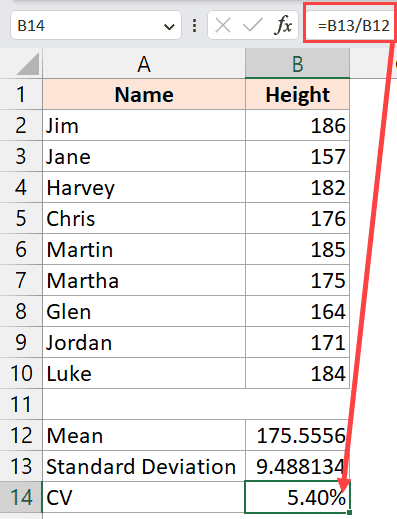
Coefficient of Variation calculation Excel

Coefficient of Variation (CV) is a common statistical metric used to understand the variability in your data set. While there is no inbuilt formula to calculate the coefficient of variation in Excel, it can easily be done by first calculating the mean and the standard deviation of the data set separately and then calculating the …

Read more

How to Mark an Excel Workbook as Final?

click on the mark as final option

When I was working as a financial analyst a few years ago, we used to send our work as Excel files to our clients. One of the steps we were required to do before sending any file to the client was to mark it as final. When you mark a file as final, the file …

Read more

How to Undo Sort in Excel (Revert to Original)

enter sequential numbers in the helper column

It’s common for Excel users to sort their data set when they’re analyzing. Sometimes, you may want to revert to the original data that you had before you did the sorting. In this tutorial, I will cover four techniques you can use to undo the sorting you have done on a dataset. The method you …

Read more

Make VBA Code Pause or Delay (Using Sleep / Wait Commands)

Make VBA deliver pause the code using sleep and Wait

Sometimes, when working with a VBA code, you may want to put a pause on the code execution or delay the code running for a few seconds or tell a specific time. For example, if I’m using my VBA code to open a .exe file or any other format file (such as Word or PowerPoint), …

Read more

How to Group Columns in Excel?

how to group columns in excel

When working on an extensive Excel worksheet, you can avoid getting confused and overwhelmed by organizing columns into groups. This will enable you to easily show and hide different areas of the worksheet so that only relevant data is visible. In this tutorial, I will show you three methods to group columns in Excel.  Note: …

Read more

How to Freeze Multiple Columns in Excel?

freeze multiple columns in Excel

As you scroll horizontally across a worksheet with many columns, the columns at the beginning of the worksheet scroll out of view. Usually, the first column (or the first few columns) has the headers for each row. And when you scroll to the right of your worksheet, it would be helpful if the headers in …

Read more

How to Turn OFF Scroll Lock in Excel?

Scroll Lock turn off with short mac keyboard

Tell me if this has happened to you – you’re working on an Excel spreadsheet, and as soon as you press any of the arrow keys, the entire page moves instead of moving the cursor to the next cell. This happens because, somehow, the Scroll Lock has been enabled, and you need to turn off …

Read more

AutoSum in Excel (Shortcut)

Quick analysis tool result is formatted

What do you do when you have to get the sum of cells in a column? Do you use the SUM function? While that’s the right way to do this, I hope you’re not manually entering the SUM formula and selecting the range to get the sum of all the values in the column (or …

Read more

How to Switch First and Last Name in Excel with Comma?

Formula to reverse the first and the last name

When working with name data sets in Excel, you may want the names to be in a specific format. Usually, the names are either in the ‘First Name Last Name’ format (such as Joe Davis or Sumit Bansal). In some specific situations, you may want the names data to be formatted as Last Name, First …

Read more

Get the FREE 51 Excel Tips Ebook

Enter your details and the free PDF is on its way to your inbox.

Hmm, that didn't go through. Please check your email and try again.

No spam. You'll also get my weekly Excel newsletter. Unsubscribe anytime.

Check your inbox!

The ebook is on its way to your email. It usually lands within a couple of minutes.