Excel Tips & Tutorials

Step-by-step Excel guides, formulas, and tips. New tutorials added regularly.

How to Find External Links and References in Excel

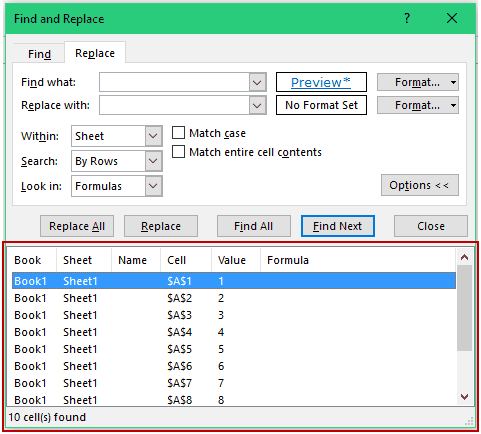
What are External Links or References? When you create formulas in Excel and refer to a data point in an another workbook, Excel creates a link to that workbook. So your formula may look like something as shown below: Note that the part highlighted in yellow is the external link (also called external reference). This …

Read more

How to Generate Random Numbers in Excel

There may be cases when you need to generate random numbers in Excel. For example, to select random winners from a list or to get a random list of numbers for data analysis or to create random groups of students in class. In this tutorial, you will learn how to generate random numbers in Excel (with …

Read more

How to Create Named Ranges in Excel

What’s in the name? If you are working with Excel spreadsheets, it could mean a lot of time saving and efficiency. In this tutorial, you’ll learn how to create Named Ranges in Excel and how to use it to save time. Named Ranges in Excel – An Introduction If someone has to call me or …

Read more

Use Format Painter in Excel to Quickly Copy Formatting

If your work involves applying the same type of formatting to data sets, using Format Painter in Excel will save you a lot of time. What is Excel Format Painter? Excel Format Painter is a nifty tool that allows you to copy formatting from a range of cells and paste it somewhere else in the …

Read more

How to Lock Formulas in Excel (a Step-by-Step Guide)

Watch Video – How to Lock Formulas in Excel Excel formulas are easy to create and edit in Excel. You can easily edit a formula through the formula bar or directly in the cell. While this makes it convenient to create formulas in Excel, it comes with a few disadvantages as well. Consider this. You are …

Read more

How to Copy and Paste Formulas in Excel without Changing Cell References

When you copy and paste formulas in Excel, it automatically adjusts the cell references. For example, suppose I have the formula =A1+A2 in cell B1. When I copy the cell B1 and paste it in B2, the formula automatically becomes =A2+A3. This happens as Excel automatically adjusts the references to make sure the rows and columns now …

Read more

Show Formulas in Excel Instead of the Values

As soon as you type a formula in Excel and hit enter, it would return the calculated result, and the formula would disappear. That’s how it’s supposed to work. But what if you want to show formulas in the cells and not the calculated values. In this Excel tutorial, I will cover the following topics: …

Read more

Excel VBA InStr Function – Explained with Examples

Yesterday, I got an email from one of my readers – June. She wanted to know how to apply bold font format to a specific part of a string within a cell. For example, apply the bold format to only the word ‘Hello’ from ‘Hello World’. And she wanted to do this for hundreds of …

Read more

Get the FREE 51 Excel Tips Ebook

Enter your details and the free PDF is on its way to your inbox.

Hmm, that didn't go through. Please check your email and try again.

No spam. You'll also get my weekly Excel newsletter. Unsubscribe anytime.

Check your inbox!

The ebook is on its way to your email. It usually lands within a couple of minutes.