Repeat Rows N Times in Excel

Clever Power Query Trick to Repeat Each Row N Times (or given number of times)

If you want to repeat rows in your dataset N number of times (say 5 or 7 times), or based on a value in a column, Power Query is the easiest way to do that. In this article, I’ll walk you through two methods to repeating all rows the same number of times, and repeating …

Read more

Create All Possible Combinations from Lists in Excel

I was recently working on a project where I had multiple lists in Excel and I had to create all the possible combinations using these lists. To give you an example, suppose I three separate lists where I have: Now I want to get one single list that would include all the possible combinations from …

Read more

How to Combine First and Last Name in Excel (4 Easy Ways)

CONCAT formula to combine first and last name

Excel is an amazing tool to store and analyze data. And many of the times, you will have to deal with text data types such as names, regions, departments, or product names. In such cases, it’s good to know how to manipulate text data and get the desired result. One of the most common tasks …

Read more

5 Easy Ways to Calculate Running Total in Excel (Cumulative Sum)

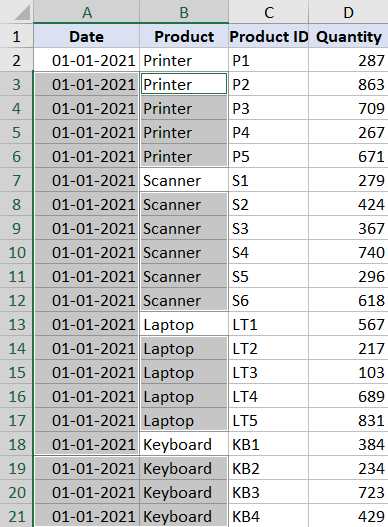
Running totals for Printer only

Running total (also called cumulative sum) is quite commonly used in many situations. It’s a metric that tells you what’s the sum of the values so far. For example, if you have the monthly sales data, then a running total would tell you how much sales have been done till a specific day from the …

Read more

How to Get Month Name from Date in Excel (4 Easy Ways)

Click on Custom option in Fomat Cells dialog box

Excel allows you to format dates in many different ways. You can choose to show the date in a short date format or in a long date format. You can also only show the day number, the month name, or the year from a given date. In this short Excel tutorial, I will show you …

Read more

Merge Tables in Excel Using Power Query

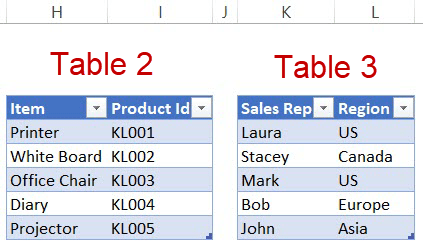
Merge Tables using Power Query - Table 2 & 3

With Power Query, working with data dispersed across worksheets or even workbooks has become easier. One of the things where Power Query can save you a lot of time is when you have to merge tables with different sizes and columns based on a matching column. Below is a video where I show exactly how …

Read more

How to Unpivot Data in Excel using Power Query (aka Get & Transform)

Data Type in the Transform tab

In this tutorial, I’ll show you how to unpivot data using Power Query (Get & Transform). Pivot Table needs the data in a specific format so that it can analyze it and create different views from it. In case you don’t have the data in a Pivot Table ready format, you can use Power Query to unpivot the data set.

Get the FREE 51 Excel Tips Ebook

Enter your details and the free PDF is on its way to your inbox.

Hmm, that didn't go through. Please check your email and try again.

No spam. You'll also get my weekly Excel newsletter. Unsubscribe anytime.

Check your inbox!

The ebook is on its way to your email. It usually lands within a couple of minutes.