Excel Tips & Tutorials

Step-by-step Excel guides, formulas, and tips. New tutorials added regularly.

How to Get Descriptive Statistics in Excel? (Quick and Easy)

Select the statistics you want in the report

If you’re working with large datasets in excel, getting Descriptive Statistics for this data set could be useful. Descriptive Statistic quickly summarizes your data and gives you a few data points that you can use to quickly understand the entire data set. While you can also calculate each of these statistical values individually, using the …

Read more

How to Enable Macros in Excel? Everything You Must Know!

Click on Advanced option

Macros in Excel are a game-changer if you have to deal with repetitive tasks. Macros allow you to automate many time-consuming tasks and also create some functions and functionalities that are not already built-in in Excel. As a part of the security measure, if you receive a file that has a macro, Excel will disable …

Read more

Calculate Area Under Curve in Excel (2 Easy Ways)

Area Under Curve Chart Logic explained

Area Under Curve (AUC) is a widely used concept in data sciences in multiple fields. While the concept of Area Under Curve is quite simple – which is to calculate the total area covered between the curve/line and the axis – there is no direct way to calculate this in Excel. But it isn’t too …
Read more

How to Delete Named Range in Excel? 2 Easy Ways!

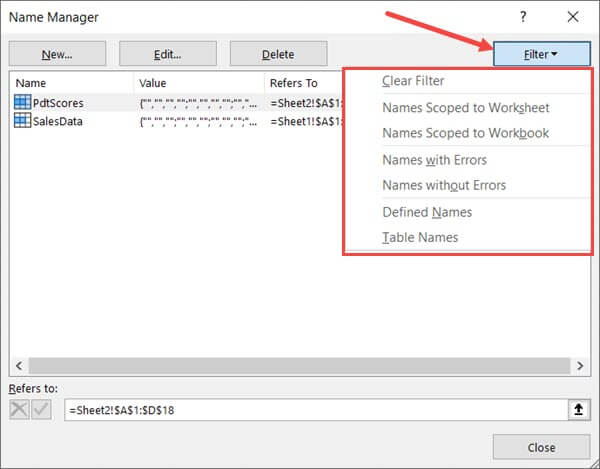
Filter Named Ranges options

Named Ranges can be extremely useful when you’re working with a lot of data and formulas. Named ranges allow you to quickly name a cell or a range of cells so that instead of using the reference, you can use those names in the formulas. And when you get hooked to using named ranged, there …

Read more

How to Copy and Paste Column in Excel?

Place the cursor at the edge of the selection

When working with Excel spreadsheets, copying and pasting data is a frequent task. And many times, you will need to copy and paste an entire column (or multiple columns) in Excel. It could be a copy-paste in the same worksheet, or in any other worksheet or workbook. In this tutorial, I will cover everything that …

Read more

How to Get the Sheet Name in Excel? Easy Formula

formula to get the sheet name

When working with Excel spreadsheets, sometimes you may have a need to get the name of the worksheet. While you can always manually enter the sheet name, it won’t update in case the sheet name is changed. So if you want to get the sheet name, so that it automatically updates when the name is …

Read more

How to Select Entire Column (or Row) in Excel – Shortcut

Column B D and G Selected

Working with Excel means working with cells and ranges in the rows and columns in it. And if you work with large datasets, selecting entire rows and columns is quite a common task. Just like with most things in Excel, there is more than one way to select a column or row in Excel. In …

Read more

How to Insert New Worksheet in Excel (Easy Shortcuts)

Click on Insert Sheet

Working with MS Excel means working in the worksheets in Excel. A worksheet is an area that has all the cells where you can store data, enter formulas, insert charts and create reports and dashboards. When you open a new Excel workbook file, by default there is only one worksheet. Earlier versions of Excel (2013 …

Read more

How to Convert Numbers to Text in Excel

Number with an without apostrophe

Excel is a great tool which can be used for data entry, as a database, and to analyze data and create dashboards and reports. While most of the in-built features and default settings are meant to be useful and save time for the users, sometimes, you may want to change things a little. Converting your …

Read more

Get the FREE 51 Excel Tips Ebook

Enter your details and the free PDF is on its way to your inbox.

Hmm, that didn't go through. Please check your email and try again.

No spam. You'll also get my weekly Excel newsletter. Unsubscribe anytime.

Check your inbox!

The ebook is on its way to your email. It usually lands within a couple of minutes.