Excel Tips & Tutorials

Step-by-step Excel guides, formulas, and tips. New tutorials added regularly.

How to Rotate Text in Cells in Excel (Easy Steps)

Dataset where text has been rotated

When I was working as a full-time analyst, one of my jobs was to prepare weekly reports for clients and stakeholders. As a part of it, I had to make sure my reports were easy to read and also take less screen space (apparently, clients hate scrolling back and forth). And the functionality of rotating …

Read more

How to Split a Cell Diagonally in Excel (Insert Diagonal Line)

Dataset with cell that has a diagonal line

When working with data in Excel and creating reports/dashboards, sometimes you would have a need to split a cell diagonally. This is helpful when you want to show two separate headings within the same cell – one for the row and one for the column (as shown below in cell A1). And being the super …

Read more

How to Return Cell Address Instead of Value in Excel (Easy Formula)

CELL formula to return Cell Address Instead of Value

When using lookup formulas in Excel (such as VLOOKUP,  XLOOKUP, or INDEX/MATCH), the intent is to find the matching value and get that value (or a corresponding value in the same row/column) as the result. But in some cases, instead of getting the value, you may want the formula to return the cell address of …

Read more

How to Combine Duplicate Rows and Sum the Values in Excel

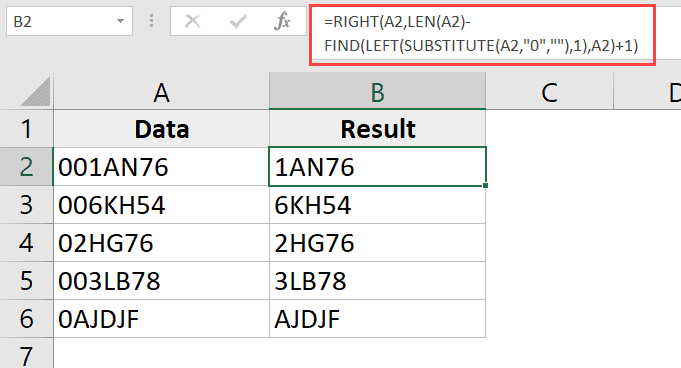
Dataset where duplicate rows are combines and sum

As a part of my full-time job a few years ago, one of the things I had to deal with was to combine data from different workbooks shared by other people. And one of the common tasks was to combine the data in such a way that there were no duplicate records. For example, below …

Read more

How to Lock Row Height & Column Width in Excel (Easy Trick)

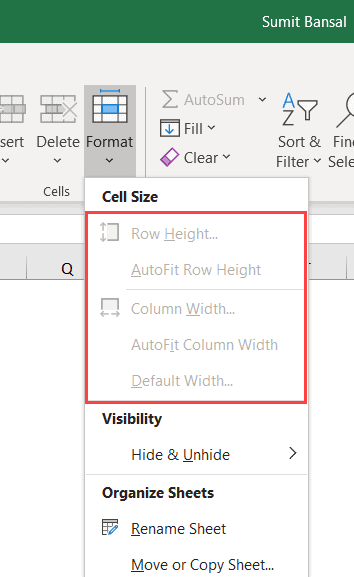
Row height and column options grayed out

It’s quite easy to change a cell’s height and width in Excel. The more you work with Excel, the more you will find yourself adjusting the row height and column width. But in some cases, you may want to lock the cell height and width so that a user cannot make any changes to it. …

Read more

How to Find Range in Excel (Easy Formulas)

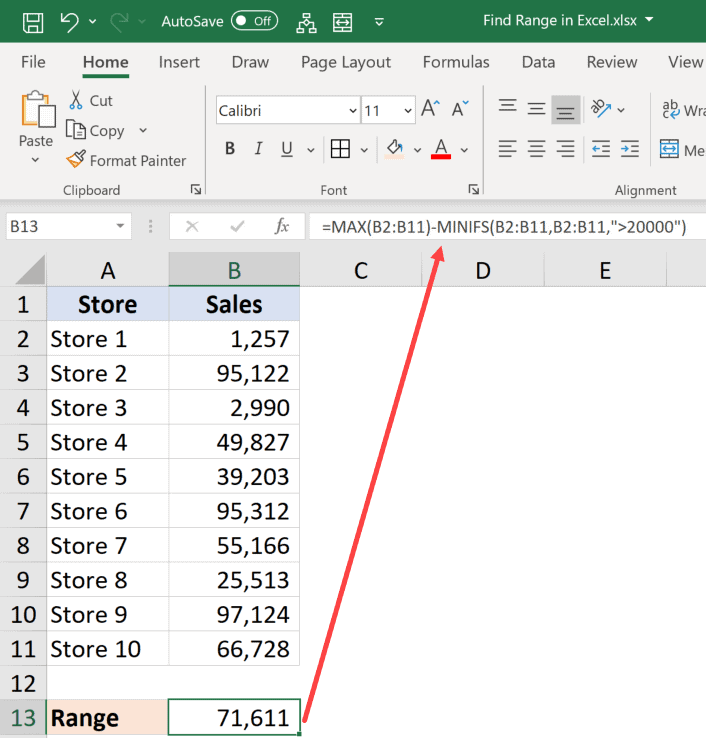
Calculating conditional range in Excel

Normally, when I use the word range in my tutorials about Excel, it’s a reference to a cell or a collection of cells in the worksheet. But this tutorial is not about that range. A ‘Range’ is also a mathematical term that refers to the range in a data set (i.e., the range between the …

Read more

How to Hide Formulas in Excel (and Only Display the Value)

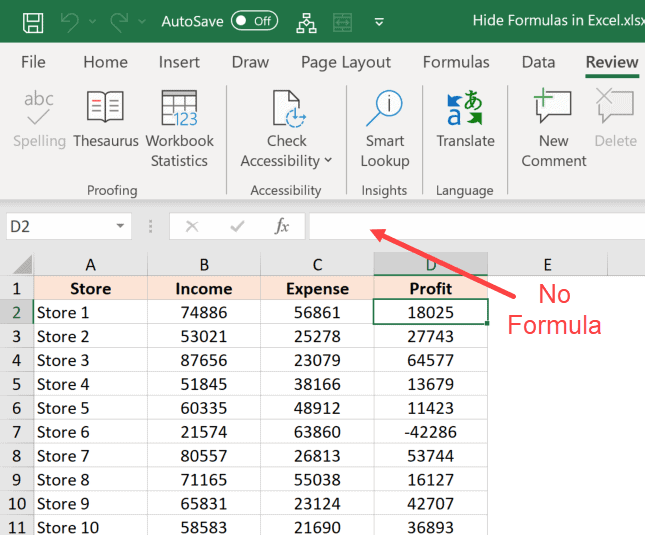
Formula hidden in the formula bar

When you share a normal Excel file with others, they are able to see and edit everything that the Excel file has. If you don’t want them to change anything, you have the option to either protect the entire worksheet/workbook or protect certain cells that have important data (that you don’t want the user to …

Read more

How to Change Row Height in Excel (5 Easy Ways)

Place the cursor at the edge of the row

Excel has cells that are neatly divided into rows and columns in a worksheet. And when you start working with data in Excel, one of the common tasks you have to do is to adjust the row height in Excel based on your data (or adjust the column width). It’s a really simple thing to …

Read more

Get the FREE 51 Excel Tips Ebook

Enter your details and the free PDF is on its way to your inbox.

Hmm, that didn't go through. Please check your email and try again.

No spam. You'll also get my weekly Excel newsletter. Unsubscribe anytime.

Check your inbox!

The ebook is on its way to your email. It usually lands within a couple of minutes.