

Learning Excel can be an uphill task. There are hundreds of features and functions to learn, and every update adds more.
The right book can save you a lot of time. Instead of jumping between random tutorials, you get a structured path from someone who knows the topic inside out.
I have spent over 15 years teaching Excel, and these are the books I recommend to anyone who wants to get better at it. Most of these I have personally gone through and learned a lot from.
Disclosure: The book links on this page are affiliate links. If you buy a book through them, I earn a small commission at no extra cost to you.
My Top Excel Book Picks (Quick Comparison)
In a hurry? Here are all my picks in one place. Click a book name to jump to my detailed review.
| If you want to… | Get this book | |
|---|---|---|
| Learn Excel from scratch | Microsoft 365 Excel For Dummies | View on Amazon |
| Own just ONE Excel book | Microsoft Excel 365 Bible | View on Amazon |
| Get good at formulas | Excel Formulas & Functions For Dummies | View on Amazon |
| Master Pivot Tables | Pivot Table Data Crunching | View on Amazon |
| Clean up messy, real-world data | Guerrilla Data Analysis | View on Amazon |
| Automate your data cleanup | Master Your Data with Power Query | View on Amazon |
| Learn the M language | Power Query Beyond The User Interface | View on Amazon |
| Automate Excel with VBA macros | Excel VBA Programming For Dummies | View on Amazon |
| Finally understand DAX | DAX for Humans | View on Amazon |
| Master DAX at an expert level | The Definitive Guide to DAX | View on Amazon |
| Build dashboards that update themselves | Building Interactive Dashboards | View on Amazon |
| Make charts people actually act on | Storytelling with Data | View on Amazon |
| Build budgets, forecasts & models | Financial Modeling in Excel For Dummies | View on Amazon |
Best Excel Books – My Detailed Reviews

If you’re brand new to Excel, this is the book you want. It’s part of the “For Dummies” series, which has a great track record of making complicated stuff easy to understand.
Here’s what I like about this book – it doesn’t try to teach you everything at once. It focuses on the essentials. The stuff you’ll actually use.
It has a lot of graphics and visual explanations. So, if you learn better by seeing rather than just reading, this book’s perfect for you.
David writes in a way that’s easy to follow. He breaks things down step by step. No jargon, no assuming you already know stuff.
It’s not going to make you an Excel expert overnight. But it’ll get you comfortable with the basics. And that’s exactly what a beginner needs. Once you finish this book, you’ll be able to handle most everyday Excel tasks with confidence.
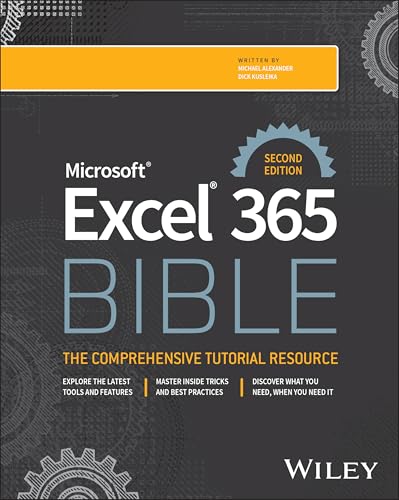
This comprehensive Excel 365 book is written by Michael Alexander and Dick Kusleika, both of whom are leading authorities in Excel and business intelligence.
This updated second edition is the modern successor to the classic Excel Bible series, now specifically focused on Excel 365 with all its latest features and updates. At over 900 pages, it’s truly comprehensive and covers everything from the basics to advanced topics.
The book is filled with practical examples and tips that you can immediately apply to your work. It’s neatly organized, making it easy to find what you need, whether you’re looking for basics or working through complex data analysis.
Look, I won’t sugarcoat it – this book is massive and can feel heavy going at times. It’s thorough (maybe too thorough in spots). But if you want to really know Excel 365 inside out, this needs to be on your desk.

This book is written by Ken Bluttman, and this edition is updated for Microsoft 365, so it covers the newer functions along with the classics.
Instead of dumping hundreds of functions on you, it focuses on the ones you’ll actually use at work. Each function is explained with a practical example you can follow along with.
It also spends time on the part most tutorials skip – what to do when a formula doesn’t work. Learning to read and fix formula errors is half the battle.

If you’re starting with Pivot Tables, this is the book to get. Period.
It’s written by Bill Jelen (aka MrExcel), who’s an Excel MVP with over 30 years of experience. This book covers pivot tables from the basics and talks about many advanced concepts as well. This is an updated version of his earlier book on the same topic, which includes new modern Excel features.
Apart from everything Pivot Table, here are the new things that are covered in this book:
- Dynamic Arrays (one of the biggest changes in modern Excel)
- PIVOTBY and GROUPBY functions (create pivot-style reports without traditional pivot tables)
- Copilot and Analyze Data features for AI-assisted pivot table creation
- Power Query for data transformation
- TypeScript for Excel Online automation (not just VBA anymore)
- 3D Maps for geographical pivot tables
What makes this book great? Bill gives you practical “recipes” for real business problems. Not just theory – actual solutions you can use right away.
You’ll learn how to turn massive datasets into clear reports in minutes. Find your top customers instantly. Build interactive dashboards. All the good stuff.

This book (now in its third edition) is written by Bill Jelen (MrExcel) and Oz du Soleil, both well-known Excel experts. You may have seen Oz’s “Excel on Fire” channel on YouTube.
Most Excel books use clean sample data. Real data is nothing like that. This book is built around exactly that problem – mixed data types, duplicates, weird formats, and files that come from other people and systems.
The tone is casual, and the examples read like real war stories from the trenches. That makes it a fun read, which is rare for an Excel book.

This is THE book to start with if you’re new to Power Query.
This book is written by Ken Puls and Miguel Escobar. Both are Excel MVPs and leading experts in Power Query.
It walks you through everything from the basics to more advanced stuff. And the best part? It covers Power Query in Excel and Power BI.
The writing is clear. Lots of screenshots. Real-world examples. Everything is explained at a pace that makes sense.
This book primarily focuses on using the user interface in Power Query. If you want to leverage the power of Power Query beyond the user interface, you would have to learn the engine behind Power Query which is called the M-code (which you can learn from the next book in this list).

If you’re already comfortable with the Power Query interface and want to go deeper into the M language, this is one of the best Excel books to take your skills to the next level.
What sets this book apart from other Power Query books is its practical approach. It doesn’t just explain M functions – it teaches you how to think and build solutions that you can apply to your own data problems.
One thing I really appreciate about this book is that it’s not just theory. Each chapter includes practical exercises and plenty of illustrations and diagrams, so you can follow along even when you’re not at your computer.
Chandeep has done a fantastic job of explaining complex M language concepts in a way that’s easy to understand. Whether you’re working in Excel or Power BI, this book will help you solve those challenging data transformation problems that you can’t fix with just clicks in the user interface.
However, I don’t recommend this Excel book if you’re a complete beginner to Power Query. You should already know how to create basic queries, combine data, remove columns, filter rows, and unpivot data before starting this book.

This is the latest edition of the Excel VBA Programming for Dummies series. It’s written by Dick Kusleika, who is a Microsoft Excel MVP and co-author of several Excel books.
If you’re new to VBA, this is a great starting point. The book teaches you coding basics and syntax step-by-step. You’ll learn to write simple macros first. Then you’ll move on to more complex automation.
What I like about this book is its practical approach. It shows you how to reduce errors and save time through automation. The step-by-step instructions make it easy to follow along.

This DAX book is written by Greg Deckler. He’s a Power BI expert and author of several popular books on Power BI and data analysis.
What makes this book unique? It teaches DAX without using the CALCULATE function. Most DAX books start with CALCULATE, which is the most complex function in DAX. This book does the opposite. The result? Learning DAX becomes much easier and more intuitive.
The book uses real-world business examples across different industries. Each chapter includes practical scenarios you can apply to your own work. You’ll learn one core pattern that solves most DAX problems. Then you’ll build on that foundation.
What I love about this approach is that it’s more natural. You learn to think in DAX, not just memorize functions. Even experienced DAX users say they wish they had learned this way from the beginning. The book also covers how to use AI tools to help write DAX.

This book is written by Alberto Ferrari and Marco Russo. They are considered the world’s leading experts on DAX and have been teaching DAX since the early days of Power Pivot.
This is the most comprehensive DAX book available. It’s 848 pages of in-depth DAX knowledge.
This is not a beginner book. It’s a complete reference guide for serious DAX users. If you want to truly master DAX, this is the book to get.
What I love about this book is the depth. The authors don’t just tell you what functions do. They explain how DAX works under the hood. You’ll understand the “why” behind everything.

This book is specifically written for Microsoft 365 Excel. It focuses on the new features that make dashboard creation much easier than in older Excel versions – things like Power Query, dynamic array functions, and LAMBDA.
The book includes hands-on projects. You’ll build actual dashboards from scratch. This helps you apply what you learn immediately.
I love that this book focuses on automation. It teaches you how to create dashboards that update themselves. No more manual data entry or chart updates.
The book also covers data visualization principles. You’ll learn what makes a good dashboard and how to present data effectively. This is crucial for making dashboards that people actually use.
Note that you need some familiarity with Excel. This isn’t a complete beginner book. But if you know basic Excel, you’ll be able to follow along.

This one is a little different from the other books on this list. It’s not an Excel manual. It’s a book about communicating with data, written by Cole Nussbaumer Knaflic, who ran data visualization training at Google before starting her own company.
The examples aren’t tied to any one tool, so everything in it applies directly to your Excel charts, reports, and dashboards.
It teaches you the thinking behind good charts – what to show, what to remove, and how to guide your reader’s eye to the point you’re making. Most Excel users never learn this part, and it shows in their reports.

This book (now in its second edition) is written by Danielle Stein Fairhurst, a financial modeling specialist who has been teaching the subject for years.
It walks you through building financial models step by step – laying out inputs and assumptions, linking the calculations, and stress-testing the results with scenarios.
You don’t need a finance degree to follow it. But you should be comfortable with Excel formulas before picking it up.
Not Sure Which One to Get?
If you can’t decide, here’s how I’d choose:
Get Microsoft 365 Excel For Dummies. Nothing else comes close for beginners.
Get the Microsoft Excel 365 Bible. It covers almost everything and will stay useful for years.
Get Pivot Table Data Crunching and Master Your Data with Power Query. These two together will change how you work every day.
PS: If you like any of these Excel books and decide to purchase it using the link in this article, I get a small commission (without any additional cost to you).
trumpexcel.com is a participant in the Amazon Associates Program, an affiliate advertising program designed to provide a means for us to earn fees by linking to Amazon and affiliated sites.
You may also find the following Excel resources useful:
