Excel Tips & Tutorials

Step-by-step Excel guides, formulas, and tips. New tutorials added regularly.

How to Fix #VALUE Error in Excel?

Value error replaces by more meaningful text

When you’re working formulas in Excel, many times you will encounter the #VALUE error. While the error is quite generic and doesn’t tell you what the problem is, in most cases, this happens when you give a formula a data type that is not expected (explained with examples below). For example, if you have a …

Read more

How to Get Rid of #DIV/0! Error in Excel? Easy Formulas!

Division error when cells have 0 or blank

If you have been working with formulas in Excel, I am sure you have encountered the #DIV/0! error (the Division error). In this short tutorial, I will show you how to quickly remove the division error in Excel (using some easy formulas). I will also show you how you can find all the cells in …

Read more

How to Make an Interactive Calendar in Excel? (FREE Template)

Holidays highlighted in the monthly calendar

If you like to plan ahead and make a weekly or monthly schedule, having a calendar in Excel could be quite useful. In this tutorial, I’m going to show you how to create a calendar in Excel that automatically updates when you change the month or the year value. I will show you the exact …

Read more

Extract Last Name in Excel

Rename the columns

When working with the names dataset in Excel, often there is a need to slice and dice the dataset and extract a part of it. One common task many Excel users have to do is to extract the last name from the full name. While it may seem like an easy task, it can get …

Read more

How to Calculate Years of Service in Excel (Easy Formulas)

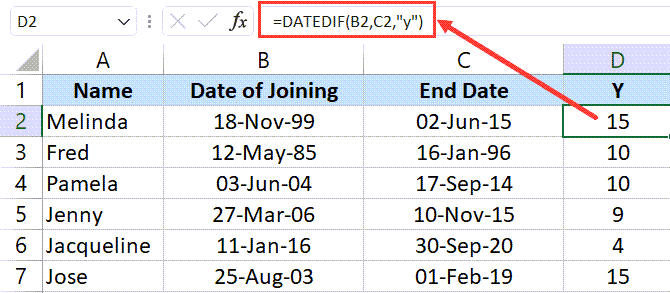
DATEDIF formula to get years of service

Excel can be quite useful when you’re working dates. It has some powerful built-in formulas that allow you to do calculations based on dates. One common scenario where you have to perform calculations with dates would be to find out how many years or months or dates have elapsed between two given dates. This could …

Read more

How to Sum by Color in Excel (Formula & VBA)

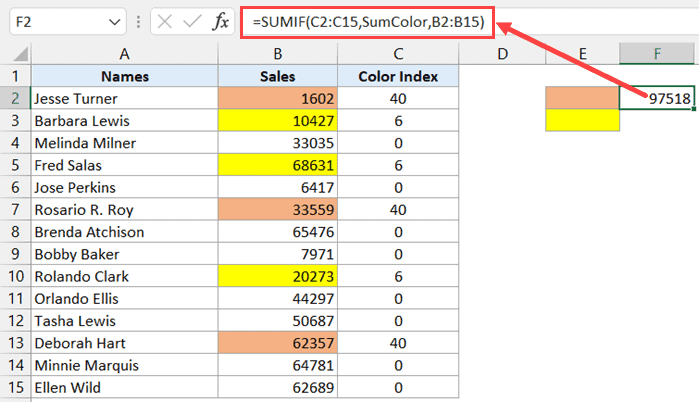
Formula to get sum by color using named range

Excel has some really amazing functions, but it doesn’t have a function that can sum cell values based on the cell color. For example, I have the dataset as shown below, and I want to get the sum of all orange and yellow color cells. Unfortunately, there is no in-built function to do this. But …

Read more

Apply Conditional Formatting Based on Another Column in Excel

Data with Names highlighted using conditional formatting

Conditional formatting allows you to apply a format to a cell based on the value in it. in most cases, you will apply conditional formatting to the same cell for which you are analyzing the value. But in some cases, you may want to apply conditional formatting to a cell or column based on values …

Read more

How to Hide or Show Formula Bar in Excel?

Formula Bar visible in Excel

When writing formulas in Excel, most Excel users prefer to type the formula directly within the cell. However, when working with large complex formulas, typing or editing the formula in the cell becomes a bit hard. In such cases are usually do this in the formula bar. A formula bar is a bar below the …

Read more

How to Highlight Weekend Dates in Excel?

Dataset where weekends are highlighted

When working with dates in Excel, you may sometimes have a need to highlight only specific days of the week. For example, you may have a list of dates where you want to highlight all the weekend dates. This can easily be done using Conditional Formatting with a little bit of formula know-how. In this …

Read more

Get the FREE 51 Excel Tips Ebook

Enter your details and the free PDF is on its way to your inbox.

Hmm, that didn't go through. Please check your email and try again.

No spam. You'll also get my weekly Excel newsletter. Unsubscribe anytime.

Check your inbox!

The ebook is on its way to your email. It usually lands within a couple of minutes.