Excel Tips & Tutorials

Step-by-step Excel guides, formulas, and tips. New tutorials added regularly.

How to Delete Entire Row in Excel Using VBA (Examples)

Copy and paste to delete entire row in the module

Adding and deleting rows is part of everyday common tasks when working with Excel. While you can do this easily from the worksheet itself, sometimes you may want to use the VBA route to delete rows in Excel. These could be deleting a specific row, multiple rows in the selection, deleting alternate rows or those …

Read more

How to Save Excel Charts as Images (save as PNG, JPG, BMP)

Save the chart as the PNG image

Excel has a lot of useful in-built charts and you can also combine and create some amazing combination charts as well. Excel charts are a great way to show your data visually and are often the most used ones when you have to present it to your manager/clients. While your charts may be in Excel, …

Read more

How to Remove Table Formatting in Excel?

Click on Clear option

Excel Table is an amazing feature that makes working with data a lot easier. And as more advanced tools such as Powe Query and Power Pivot now rely on Excel tables to be the data source, Excel tables are going to become even more important. But this tutorial is not about the awesomeness of Excel …

Read more

How to Compare Two Excel Sheets (for differences)

Two files that need to be compared

Comparing two Excel files (or comparing two sheets in the same file) can be tricky as an Excel workbook only shows one sheet at a time. This becomes more difficult and error-prone when you have a lot of data that needs to be compared. Thankfully, there are some cool features in Excel that allow you …

Read more

Calculate Number of Months Between Two Dates in Excel (Easy Formulas)

Difference between YEARFRAC and DATEDIF and YEAR & MONTH function

If you want to calculate the number of months between two dates in Excel, subtracting one date from the other will only give you days. That is because months do not all contain the same number of days. Excel can return completed months, decimal months, or every calendar month touched. In this article, I’ll show …

Read more

How to Sort by the Last Name in Excel (Easy Guide)

You get the last names only using Find and Replace

If you work with names datasets, sorting it is one of the common tasks you would have to do often. It’s quite easy to sort data alphabetically based on the full name, where Excel uses the first character of the name to sort. But what if you want to sort data by the last name …

Read more

How to Stop Excel from Changing Numbers to Dates Automatically

Number Changes to date when entered in Excel

Excel has some really smart features that can be really useful in many cases (and sometimes it could be frustrating). One such area is when you enter numbers in Excel. Sometimes, Excel automatically changes these numbers to dates. For example, if you enter 1/2 in Excel, Excel will automatically change this to 01-02-2020 (or 02-01-2020 …

Read more

Change Negative Number to Positive in Excel [Remove Negative Sign]

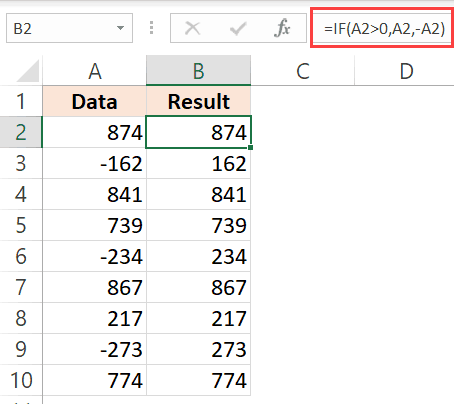
Formula to convert negative numbers to positive numbers

Most of the people who work with Excel spreadsheets deal with numbers in large/small datasets. And when you work with numbers, you will have all types of it (positive, negative, decimals, date/time). One of the common tasks a lot of us need to do often is to convert these numbers from one format to another. …

Read more

Get the FREE 51 Excel Tips Ebook

Enter your details and the free PDF is on its way to your inbox.

Hmm, that didn't go through. Please check your email and try again.

No spam. You'll also get my weekly Excel newsletter. Unsubscribe anytime.

Check your inbox!

The ebook is on its way to your email. It usually lands within a couple of minutes.