Calculate Area Under Curve in Excel (2 Easy Ways)

Area Under Curve Chart Logic explained

Area Under Curve (AUC) is a widely used concept in data sciences in multiple fields. While the concept of Area Under Curve is quite simple – which is to calculate the total area covered between the curve/line and the axis – there is no direct way to calculate this in Excel. But it isn’t too …

Read more

How to Get the Sheet Name in Excel? Easy Formula

formula to get the sheet name

When working with Excel spreadsheets, sometimes you may have a need to get the name of the worksheet. While you can always manually enter the sheet name, it won’t update in case the sheet name is changed. So if you want to get the sheet name, so that it automatically updates when the name is …

Read more

How to Convert Numbers to Text in Excel

Number with an without apostrophe

Excel is a great tool which can be used for data entry, as a database, and to analyze data and create dashboards and reports. While most of the in-built features and default settings are meant to be useful and save time for the users, sometimes, you may want to change things a little. Converting your …

Read more

How to Find Slope in Excel? Using Formula and Chart

The slope of the regression line is a measure of the steepness of the line. It’s a numeric value that tells us how two variables are correlated. It tells us how much the dependent variable will change in case there is a change in the independent variable. There are three ways to find the slope …

Read more

How to Combine First and Last Name in Excel (4 Easy Ways)

CONCAT formula to combine first and last name

Excel is an amazing tool to store and analyze data. And many of the times, you will have to deal with text data types such as names, regions, departments, or product names. In such cases, it’s good to know how to manipulate text data and get the desired result. One of the most common tasks …

Read more

How to Add Months to Date in Excel (Easy Formula)

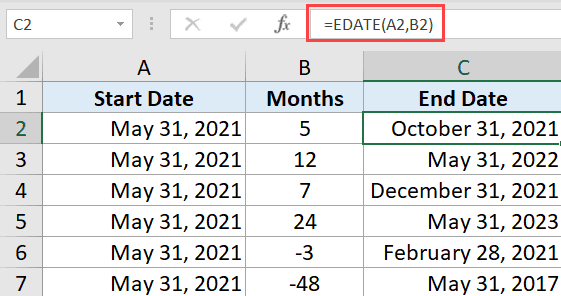
EDATE-formula-to-add-months-to-date

Sometimes, when working with dates, you may want to know the date after a specific number of months. For example, you may want to know the date three months after a specific date. Thankfully, Excel has an in-built function (EDATE) that does exactly this. In this tutorial, I will show you how to use a …

Read more

Combine Date and Time in Excel (Easy Formula)

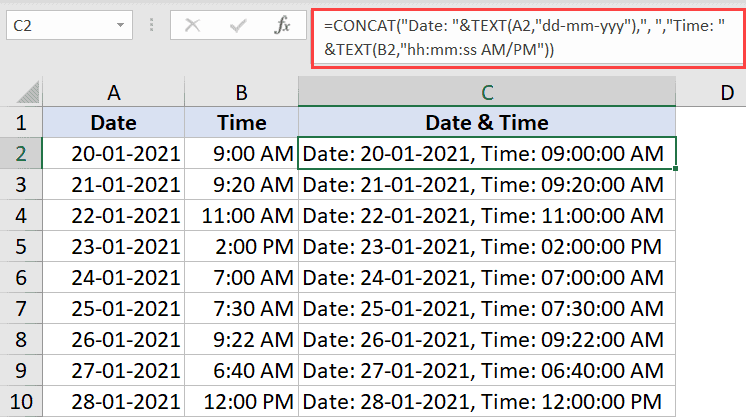
Formula to combine date and time with custom text

Sometimes you may have dates in one column and time values in another column and you want to combine these to get one single date and time value in a cell. And if you’re thinking that you can do that by easily combining the two cells by using the concatenate formula or the & sign, …

Read more

How to Calculate Correlation Coefficient in Excel (2 Easy Ways)

Output showing correlation of all series

Excel is a powerful tool that has some amazing functions and functionalities when working with statistics. Finding a correlation between two data series is one of the most common statistical calculation when working with large datasets, I was working as a financial analyst a few years ago, and although we were not heavily involved in …

Read more

Get the FREE 51 Excel Tips Ebook

Enter your details and the free PDF is on its way to your inbox.

Hmm, that didn't go through. Please check your email and try again.

No spam. You'll also get my weekly Excel newsletter. Unsubscribe anytime.

Check your inbox!

The ebook is on its way to your email. It usually lands within a couple of minutes.