Automatically Sort Data in Alphabetical Order using Formula
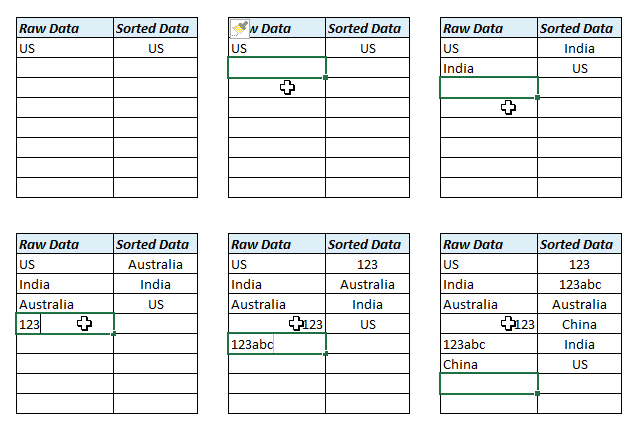
Excel built-in data sorting is amazing, but it isn’t dynamic. If you sort data and then add data to it, you would need to sort it again. Sort Data in Alphabetical Order In this post, I will show you various ways to sort data in alphabetical order using formulas. This means you can add data, …


Read more

Dynamic Excel Filter Search Box – Extract Data as you Type

Excel Filter is one of the most used functionalities when you work with data. In this blog post, I will show you how to create a Dynamic Excel Filter Search Box, such that it filters the data based on what you type in the search box. Something as shown below: There is a dual functionality to …

Read more

24 Excel Tricks to Make You Sail through Day-to-day work

Excel has made our life easier in so many ways. However, there are some Excel Issues that continue to waste our time and pump up the frustration levels. These are small issues that can be fixed in a few seconds, but to not know the right way to do it can cost a lot of time. …

Read more

10 Tricks to Fix Slow Excel Spreadsheets (Speed-up Excel)

If there is one thing that unites us all, it has to be the frustration to keep up with a slow excel spreadsheets. While the impact on the performance may be negligible when there is less data, it becomes more profound as you add more and more data/calculations to the workbook. 9 out of 10 …

Read more

Create Dynamic Hyperlinks in Excel

Hyperlinks are Excel’s shortcut way to jump to the required data point in the same workbook, a different workbook, or an external URL. While hyperlinks are mostly static links, here is the way you can use to create dynamic hyperlinks. By Dynamic Hyperlinks, I mean links that change based on the selection (or any other …

Read more

How to Create Excel Table?

Excel table inserted in Worksheet

Excel has a handy feature called Excel Tables, which makes data management and analysis a lot easier. If you’re an Excel beginner, you may think an Excel Table is data in a tabular format. But that’s not the case. When data is arranged in rows and columns in the worksheet, it’s just plain regular data. …

Read more

Use VLookup to Get the Last Number in a List in Excel

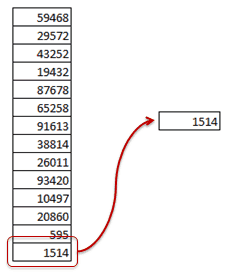
Excel has its own limitations, and in this blog post, I will show you how we can use one of the limitations to our advantage. Get the Last Number in a List in Excel using Excel VLOOKUP Function The largest positive number that you can use in Excel is 9.99999999999999E+307 (I tried this in Excel 2010). …

Read more

How to do a Picture Lookup in Excel – A Step-by-step Guide

There are many lookup functions in Excel (such as VLOOKUP, LOOKUP, INDEX/MATCH, XLOOKUP) that can go and fetch a value from a list. But you can’t look-up images using these formulas. For example. if I have a list of team names and their logos, and I want to look up the logo based on the …

Read more

Using Conditional Formatting in Excel (The Ultimate Guide + Examples)

Conditional Formatting is one of the most simple yet powerful features in Excel Spreadsheets. As the name suggests, you can use conditional formatting in Excel when you want to highlight cells that meet a specified condition. It gives you the ability to quickly add a visual analysis layer over your data set. You can create …

Read more

Get the FREE 51 Excel Tips Ebook

Enter your details and the free PDF is on its way to your inbox.

Hmm, that didn't go through. Please check your email and try again.

No spam. You'll also get my weekly Excel newsletter. Unsubscribe anytime.

Check your inbox!

The ebook is on its way to your email. It usually lands within a couple of minutes.