How to Delete Named Range in Excel? 2 Easy Ways!

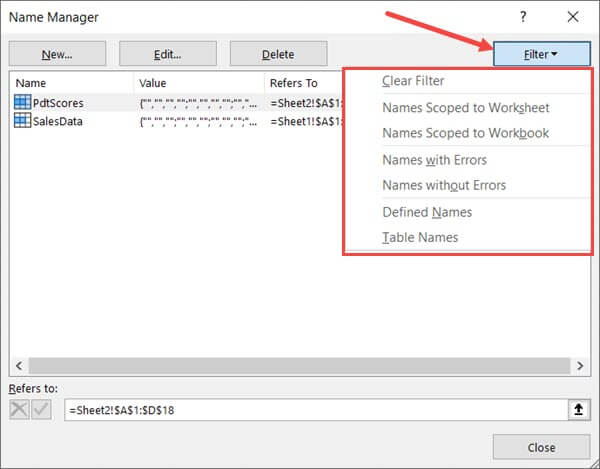
Filter Named Ranges options

Named Ranges can be extremely useful when you’re working with a lot of data and formulas. Named ranges allow you to quickly name a cell or a range of cells so that instead of using the reference, you can use those names in the formulas. And when you get hooked to using named ranged, there …

Read more

How to Copy and Paste Column in Excel?

Place the cursor at the edge of the selection

When working with Excel spreadsheets, copying and pasting data is a frequent task. And many times, you will need to copy and paste an entire column (or multiple columns) in Excel. It could be a copy-paste in the same worksheet, or in any other worksheet or workbook. In this tutorial, I will cover everything that …

Read more

How to Get the Sheet Name in Excel? Easy Formula

formula to get the sheet name

When working with Excel spreadsheets, sometimes you may have a need to get the name of the worksheet. While you can always manually enter the sheet name, it won’t update in case the sheet name is changed. So if you want to get the sheet name, so that it automatically updates when the name is …

Read more

How to Select Entire Column (or Row) in Excel – Shortcut

Column B D and G Selected

Working with Excel means working with cells and ranges in the rows and columns in it. And if you work with large datasets, selecting entire rows and columns is quite a common task. Just like with most things in Excel, there is more than one way to select a column or row in Excel. In …

Read more

How to Insert New Worksheet in Excel (Easy Shortcuts)

Click on Insert Sheet

Working with MS Excel means working in the worksheets in Excel. A worksheet is an area that has all the cells where you can store data, enter formulas, insert charts and create reports and dashboards. When you open a new Excel workbook file, by default there is only one worksheet. Earlier versions of Excel (2013 …

Read more

How to Convert Numbers to Text in Excel

Number with an without apostrophe

Excel is a great tool which can be used for data entry, as a database, and to analyze data and create dashboards and reports. While most of the in-built features and default settings are meant to be useful and save time for the users, sometimes, you may want to change things a little. Converting your …

Read more

How to Calculate PERCENTILE in Excel (Formula)

Formula to calculate 90th Percentlle

Percentile is a statistics metric is that is often used when working with data. It gives you an idea of where a value lies in the dataset (i.e., its position/rank in the dataset). In practical life, I have seen the percentile value being used in competitive exams, where on the given score, you get the …

Read more

Calculate Percentage Change in Excel (% Increase/Decrease Formula)

Formula to calculate value after 10% decline

When working with data in Excel, calculating the percentage change is a common task. Whether you working with professional sales data, resource management, project management, or personal data, knowing how to calculate percentage change would help you make better decisions and do better data analysis in Excel. It’s really easy, thanks to amazing MS Excel …

Read more

How to Find Slope in Excel? Using Formula and Chart

The slope of the regression line is a measure of the steepness of the line. It’s a numeric value that tells us how two variables are correlated. It tells us how much the dependent variable will change in case there is a change in the independent variable. There are three ways to find the slope …

Read more

Get the FREE 51 Excel Tips Ebook

Enter your details and the free PDF is on its way to your inbox.

Hmm, that didn't go through. Please check your email and try again.

No spam. You'll also get my weekly Excel newsletter. Unsubscribe anytime.

Check your inbox!

The ebook is on its way to your email. It usually lands within a couple of minutes.