Split Each Excel Sheet Into Separate Files

Files after each sheet is split into separate file

If you have an Excel workbook with many worksheets, there is no easy way to split each of these sheets into separate Excel files and save separately. This could be needed when you sheets for different months or regions or products/clients and you want to quickly get a separate workbook for each sheet (as an …

Read more

How to Sum a Column in Excel (5 Really Easy Ways)

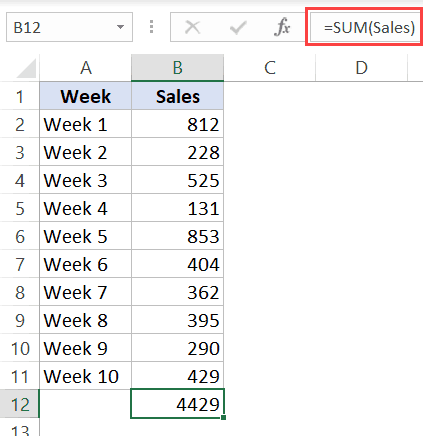
Sum a column using named range

To get the sum of an entire column is something most of us have to do quite often. For example, if you have the sales data to date, you may want to quickly know the total sum in the column to the sales value till the present day. You may want to quickly see what …

Read more

Insert a Blank Row after Every Row in Excel (or Every Nth Row)

Final Dataset where blank rows have been inserted after each row

People who work with large data sets often need simple things such as inserting/deleting rows or columns. While there are already many different (and simple) ways to add rows in Excel, when it comes to inserting a blank row after every other row (or every third or fourth row), things get a bit complicated. Insert …

Read more

How to Unhide Sheets in Excel (All In One Go)

Copy and Paste the code in the module

Watch Video – How to Unhide All Sheets In Excel In case you prefer reading a tutorial over watching a video, below is a detailed written tutorial on unhiding sheets in Excel. When you work with data that is spread across multiple worksheets in Excel, you may want to hide a few worksheets. This could …

Read more

Hide Zero Values in Excel | Make Cells Blank If the Value is 0

Click on the Equal to option in Conditional Formatting

In case you prefer reading over watching a video, below is the complete written tutorial. Sometimes in Excel, you may want to hide zero values in your dataset and show these cells as blanks. Suppose you have a dataset as shown below and you want to hide the value 0 in all these cells (or …

Read more

How to Delete Every Other Row in Excel (or Every Nth Row)

Click on the filter icon the helper column header

Sometimes you may have a need to delete every other row (i.e., alternate rows), or every third/fourth/fifth row in Excel. One use-case of this could be when you have weekly data and you only want the data for even weeks or odd weeks. Another could be when you get a data dump from a database …

Read more

Get the FREE 51 Excel Tips Ebook

Enter your details and the free PDF is on its way to your inbox.

Hmm, that didn't go through. Please check your email and try again.

No spam. You'll also get my weekly Excel newsletter. Unsubscribe anytime.

Check your inbox!

The ebook is on its way to your email. It usually lands within a couple of minutes.