How to Stop Excel from Changing Numbers to Dates Automatically

Number Changes to date when entered in Excel

Excel has some really smart features that can be really useful in many cases (and sometimes it could be frustrating). One such area is when you enter numbers in Excel. Sometimes, Excel automatically changes these numbers to dates. For example, if you enter 1/2 in Excel, Excel will automatically change this to 2-Jan (or 1-Feb …

Read more

Split Each Excel Sheet Into Separate Files (Manual + VBA)

Files after each sheet is split into separate file

If you have an Excel workbook with many worksheets, there is no easy way to split each of these sheets into separate Excel files and save separately. This could be needed when you have sheets for different months or regions or products/clients, and you want a separate workbook for each sheet (as an Excel file …

Read more

How to Sum a Column in Excel (5 Really Easy Ways)

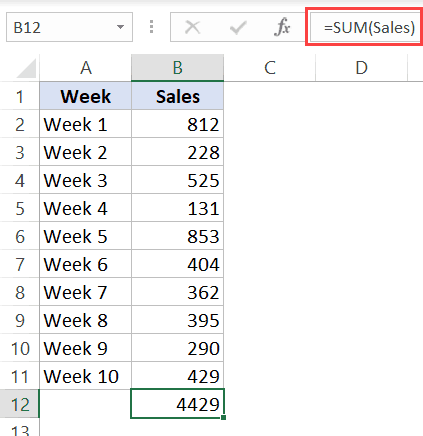
Sum a column using named range

To get the sum of an entire column is something most of us have to do quite often. For example, if you have the sales data to date, you may want to quickly know the total sum in the column to the sales value till the present day. You may want to quickly see what …

Read more

Hide Zero Values in Excel | Make Cells Blank If the Value is 0

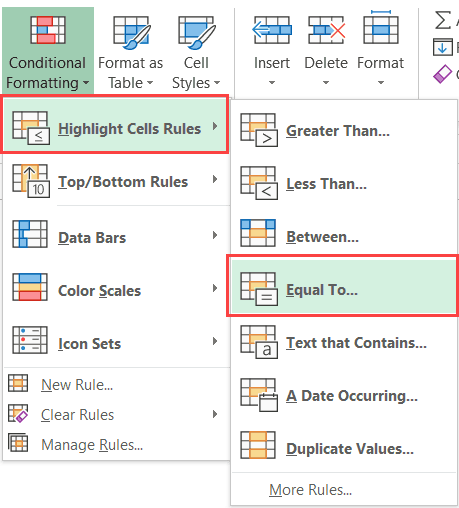
Click on the Equal to option in Conditional Formatting

In case you prefer reading over watching a video, below is the complete written tutorial. Sometimes in Excel, you may want to hide zero values in your dataset and show these cells as blanks. Suppose you have a dataset as shown below and you want to hide the value 0 in all these cells (or …

Read more

Delete Rows Based on a Cell Value (or Condition) in Excel

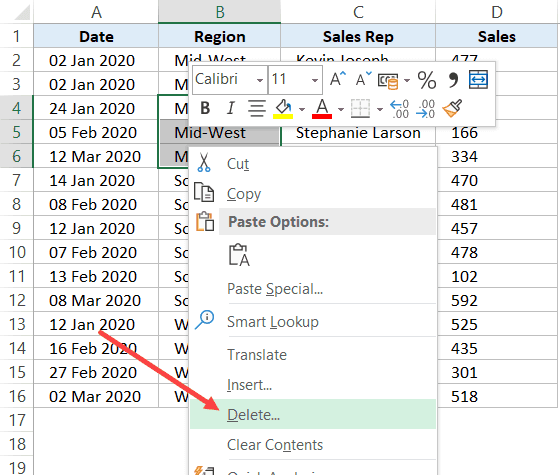
Delete Rows of Mid-West by selecting the entire group

When working with large data sets, you may have the need to quickly delete rows based on the cell values in it (or based on a condition). For example, consider the following examples: There are multiple ways to skin this data cat in Excel. The method you choose to delete the rows will depend on …

Read more

Excel VBA Error Handling – All You Need to Know!

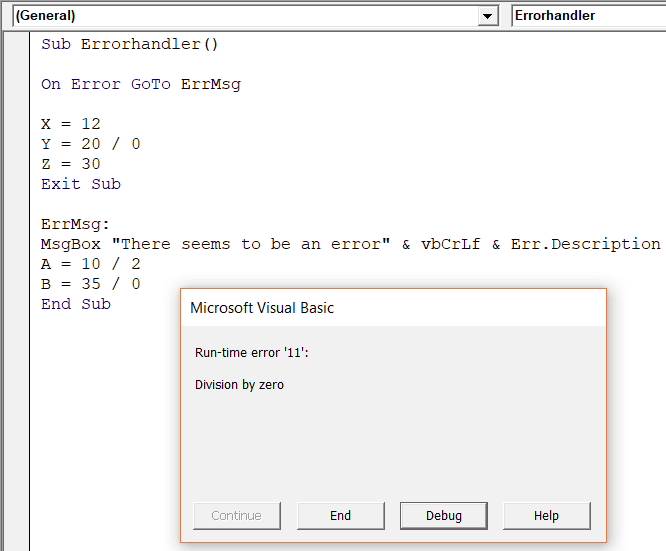
Second Division by error code

No matter how experienced you’re with VBA coding, errors are always going to be a part of it. The difference between a novice and an expert VBA programmer is that the expert programmers know how to effectively handle and use errors. In this tutorial, I will show you various ways you can use to handle …

Read more

Excel VBA Autofilter: A Complete Guide with Examples

Excel VBA Autofilter

<!– META H1: Excel VBA Autofilter: A Complete Guide with Examples Meta title (55 chars): VBA AutoFilter in Excel: Syntax, Criteria, and Examples Meta description (146 chars): Use the VBA AutoFilter method to filter by text, AND/OR, multiple values, top 10, and dates, plus Excel Tables, ShowAllData, and protected sheets. –> Excel VBA Autofilter: A …

Read more

Search and Highlight Data Using Conditional Formatting

Watch Video – Search and Highlight Data Using Conditional Formatting If you work with large datasets, there can be a need to create a search functionality that allows you to quickly highlight cells/rows for the searched term. While there is no direct way to do this in Excel, you can create search functionality using Conditional …

Read more

Get the FREE 51 Excel Tips Ebook

Enter your details and the free PDF is on its way to your inbox.

Hmm, that didn't go through. Please check your email and try again.

No spam. You'll also get my weekly Excel newsletter. Unsubscribe anytime.

Check your inbox!

The ebook is on its way to your email. It usually lands within a couple of minutes.