Excel Tips & Tutorials

Step-by-step Excel guides, formulas, and tips. New tutorials added regularly.

How to Transpose Data in Excel

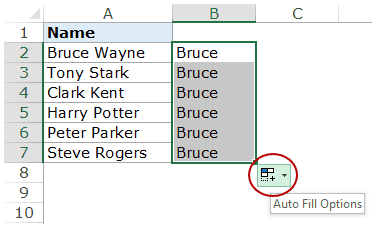
If you have a dataset and you want to transpose it in Excel (which means converting rows into columns and columns into rows), doing it manually is a complete NO! Transpose Data using Paste Special Paste Special can do a lot of amazing things, and one such thing is to transpose data in Excel. Suppose …
Read more

Random Group Generator Template [FREE Download]

If you’re a teacher or a trainer, creating groups of students/participants is a common task. For example, you may want to create groups to conduct a quiz or a team building activity. And in most of the cases, you need these groups to be random. Today, I am sharing a random group generator template that will …

Read more

How to Filter Data in a Pivot Table in Excel

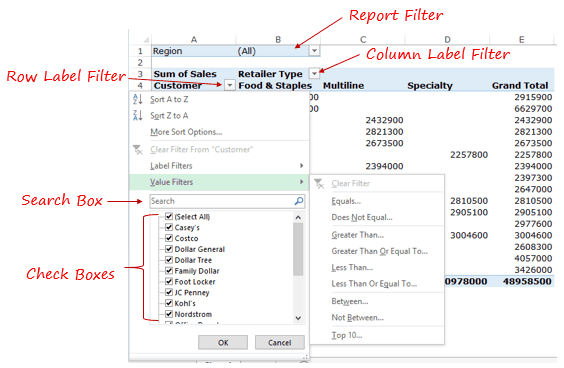
There are different ways you can filter data in a Pivot Table in Excel. As you’ll go through this tutorial, you’ll see there are different data filter options available based on the data type. Types of Filters in a Pivot Table Here is a demo of the types of filters available in a Pivot Table. Let’s …

Read more

20 Excel Keyboard Shortcuts that will Impress Your Boss

If you work with Excel day in and day out, Excel Keyboard Shortcuts can help you shorten your workday and save a lot of time. Additionally, it also has the power to enchant your co-workers and boss into thinking you’re an Excel Wizard. When I started my career as an analyst, I was completely in awe …

Read more

How to Lock Cells in Excel

Sometimes you may want to lock cells in Excel so that other people can’t make changes to it. It could be to avoid tampering of critical data or prevent people from making changes in the formulas. How to Lock Cells in Excel Before we learn how to lock cells in Excel, you need to understand …

Read more

How to Group Numbers in Pivot Table in Excel

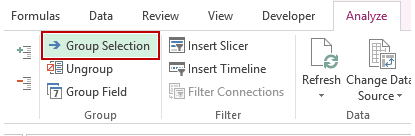
You can group numbers in Pivot Table to create frequency distribution tables. This helps in analyzing numerical values by grouping it into ranges. A simple example of this could be to analyze how many students scored marks between 40 and 50 and how many got marks between 50 and 60 and so on.. Another example …

Read more

Preparing Source Data For Pivot Table

Having the data in the right format is a crucial step in creating a robust and error-free Pivot Table. If not done the right way, you can end up having a lot of issues with your pivot table. What is a good design for the Source data for Pivot Table? Let’s have a look at …

Read more

Get the FREE 51 Excel Tips Ebook

Enter your details and the free PDF is on its way to your inbox.

Hmm, that didn't go through. Please check your email and try again.

No spam. You'll also get my weekly Excel newsletter. Unsubscribe anytime.

Check your inbox!

The ebook is on its way to your email. It usually lands within a couple of minutes.