How to Get the First Day of the Month in Excel (Easy Formulas)

EOMONTH formula

Sometimes, you may need to know what’s the first day of the month based on a given date. When there is no dedicated function to get the first day of a given month, you can easily use a workaround to find it. In this Excel tutorial, I’ll show you some really simple formula that you …

Read more

How to Convert Serial Numbers to Dates in Excel

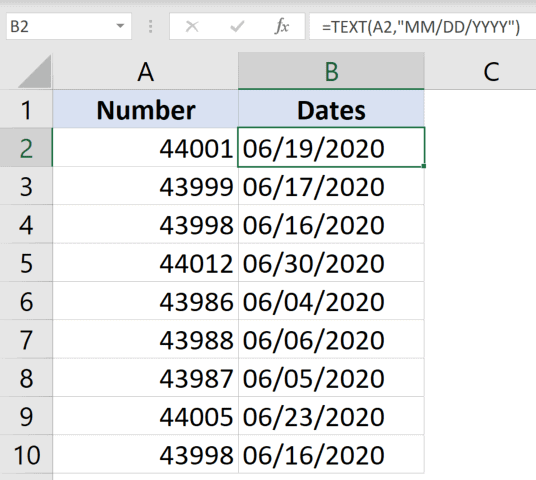
TEXT formula result

Excel stores date and time values as serial numbers in the back end. This means that while you may see a date such as “10 January 2020” or “01/10/2020” in a cell, in the back-end, Excel is storing that as a number. This is useful as it also allows users to easily add/subtract date and …

Read more

How to Delete All Hidden Rows and Columns in Excel

Click on Remove all to delete the hidden rows and columns

A lot of Excel users hide rows and columns when they have some data that they don’t need visible. It’s a way to only keep useful data visible, and at the same time not have to delete the data you don’t need to be visible. And, if you have lots of such hidden rows/columns, it …

Read more

How To Remove Text Before Or After a Specific Character In Excel

Formula to remove text after the second comma

When working with text data in Excel, you may have the need to remove the text before or after a specific character or text string. For example, if you have the name and designation data of people, you may want to remove the designation after the comma and only keep the name (or vice-versa where …

Read more

How to Remove Dotted Lines in Excel (3 Easy Fix)

Dotted borders

Excel is an awesome tool. The more I learn about it the more I fall in love with it. The team that has built Excel has put in a lot of thinking behind it and they continuously work on improving the user experience. But there are still somethings that I find irritating and often need …

Read more

How to Remove Macros From an Excel Workbook (3 Easy Ways)

click on the delete button to remove the selected macro

Using VBA Macros in Excel can be a huge time saver. You can automate a lot of repetitive tasks and create new functions and functionalities in Excel with simple VBA macro codes. But in some cases, you may want to remove all the macros from an Excel workbook (or delete specific macros only). This may …

Read more

Get the FREE 51 Excel Tips Ebook

Enter your details and the free PDF is on its way to your inbox.

Hmm, that didn't go through. Please check your email and try again.

No spam. You'll also get my weekly Excel newsletter. Unsubscribe anytime.

Check your inbox!

The ebook is on its way to your email. It usually lands within a couple of minutes.